How to Set Up Google Ads Conversion Tracking Properly and Stop Wasting Your Ad Spend
How to Set Up Google Ads Conversion Tracking Properly and Stop Wasting Your Ad Spend
Here’s something we see far too often: a business is spending thousands of rupees every month on Google Ads, the campaigns look active, the clicks are coming in and yet nobody can clearly say which ads are actually bringing in leads or sales.
The culprit, almost every time, is broken or missing conversion tracking.
Without accurate tracking, you’re essentially flying blind. You might pause a campaign that was quietly generating leads, or keep pouring money into one that was never performing. Neither outcome is good for your budget or your business.
At Techco Agency, fixing conversion tracking is often the first thing we do when a client comes to us frustrated with their Google Ads results. It doesn’t matter how well-written the ad copy is or how competitive the bid if tracking isn’t set up right, everything else suffers.
What is Google Ads Conversion Tracking, Really?
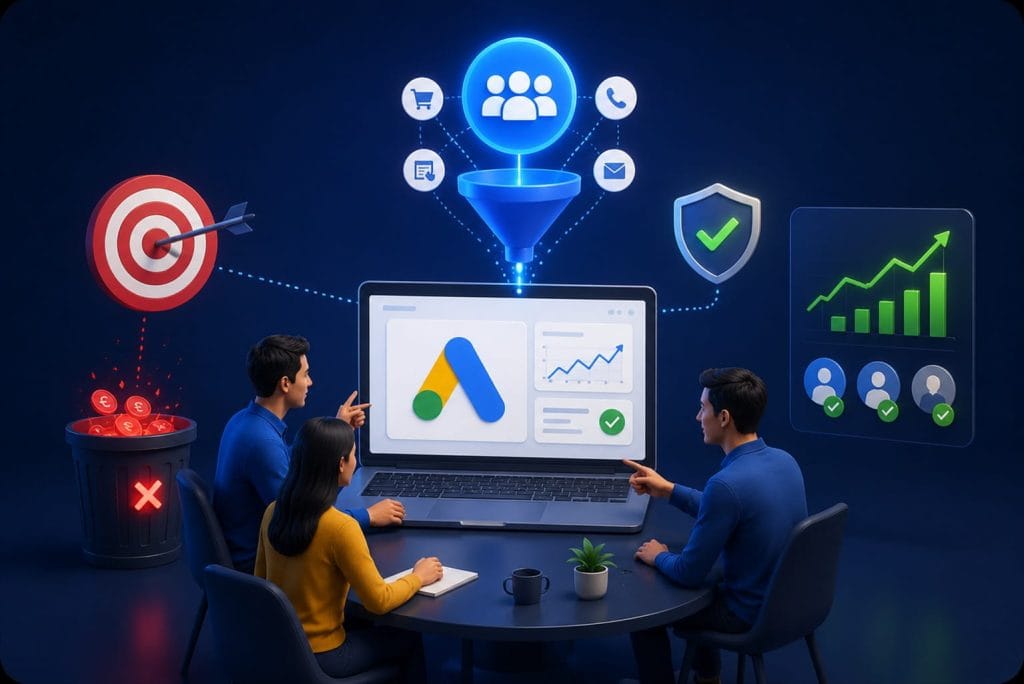
At its core, Google Ads conversion tracking tells you what happens after someone clicks your ad. Did they fill out your contact form? Buy something? Call your number? Or did they just land on your page and leave?
That’s the question conversion tracking answers. It connects the click to the outcome so instead of guessing which campaigns are working, you can see it clearly in your data.
Common actions businesses track include:
- Contact form submissions
- Phone calls and WhatsApp clicks
- E-commerce purchases
- Newsletter sign-ups
- Appointment bookings
- File downloads and lead form interactions
Each of these tells a different story about your audience, and together they paint a clear picture of what your advertising is actually delivering.
Why Conversion Tracking Matters More Than Ever in 2026
Google’s AI Runs on Your Conversion Data
Google Ads has changed dramatically over the last few years. Today, most campaigns run on AI-driven bidding strategies Smart Bidding, Target ROAS, Maximize Conversions all of which rely heavily on conversion data to make decisions.
When your tracking is accurate, Google’s system learns quickly. It figures out which users are most likely to convert and adjusts your bids accordingly. When tracking is off, the algorithm gets confused signals and your campaign performance suffers, often without any obvious reason.
In short: bad tracking doesn’t just hide your results. It actively makes your campaigns worse.
You Can’t Improve What You Can’t Measure
Proper conversion tracking gives you the answers to the questions every advertiser should be asking:
- Which keywords are actually bringing in leads not just clicks?
- Which ads are driving sales, and which ones are just burning budget?
- Which landing pages are converting well, and which are losing people?
- Which audience segments are responding best to your message?
With this data, you stop guessing and start making decisions with confidence. You know where to invest more and where to cut back and that’s exactly how ad budgets get more efficient over time.
Choosing the Right Conversion Goals for Your Business
Not every business should track the same things. A local service business cares deeply about phone calls and form submissions. An e-commerce brand wants to track purchases, cart completions, and product page behavior. A SaaS company might focus on free trial sign-ups or demo requests.
Setting the wrong conversion goals is just as harmful as having no tracking at all. If you’re optimizing for newsletter sign-ups when what you actually want is paying customers, your campaigns will chase the wrong metric and your results will disappoint.
Take time to define what a real result looks like for your business, then build your tracking around that.
How to Set Up Google Ads Conversion Tracking the Right Way
Connect Google Ads With Google Analytics 4
This is the foundation. Linking your Google Ads account to GA4 gives you a full picture of what happens after the click not just whether someone landed on your site, but how they behaved, how far they got, and whether they converted.
GA4 also provides better attribution reporting and helps you understand the full customer journey across sessions and devices, which is increasingly important as users interact with businesses across multiple touchpoints before making a decision.
Use Google Tag Manager for Clean Implementation
Google Tag Manager makes it far easier to manage your tracking tags without editing your website code every time something changes. It keeps things organized, reduces the risk of errors, and lets you make updates quickly when campaign goals shift.
If you’re currently placing tracking scripts directly in your site’s code, moving to GTM is one of the best investments you can make in your tracking setup.
Configure Your Conversion Events Carefully
Each conversion event needs to be configured with intent. Common mistakes here include tracking page views instead of actual completions, counting duplicate conversions that inflate your numbers, or setting up events that fire incorrectly and send bad data to Google.
Every conversion event you set up should reflect a real, meaningful action one that signals genuine interest or intent from a potential customer.
Enable Enhanced Conversions
With browser privacy settings tightening and third-party cookies continuing to decline, standard conversion tracking is becoming less reliable on its own. Enhanced conversions help fill that gap by matching conversion data more accurately, even when cookies are limited.
Setting this up correctly improves your attribution accuracy, strengthens audience matching, and helps Google’s algorithm get a clearer picture of who your best customers really are.
Common Mistakes That Quietly Kill Campaign Performance
In our experience, these are the tracking problems that show up most often and that cost businesses the most money:
- Duplicate conversion tracking that inflates results and confuses the algorithm
- Tracking soft actions (like page visits) instead of real conversions
- Broken tags that stopped firing after a website update
- No GA4 integration, leaving a major blind spot in campaign data
- Wrong attribution model that misattributes credit across campaigns
Any one of these issues can quietly undermine an otherwise solid campaign. The tricky part is that campaigns can still appear active and generating clicks the problem only becomes visible when you look at actual results and realize nothing is being accurately measured.
How Techco Agency Approaches This For Clients
When we work with a new client on Google Ads, one of the first things we do is a full audit of their existing tracking setup. More often than not, we find at least one significant issue duplicate conversions, missing GA4 integration, or events that simply aren’t firing correctly.
Our setup process covers:
- Conversion tracking setup and audit
- GA4 integration and event configuration
- Google Tag Manager implementation
- Enhanced conversions setup
- Landing page and funnel analysis
- Audience targeting aligned to real conversion data
- Ongoing campaign optimization based on what the data actually shows
The goal is simple: make sure every rupee you spend is tracked, measurable, and working toward a real result.
Final Thought
Google Ads can be a genuinely powerful channel for growing a business but only when you can clearly see what’s working. Conversion tracking is what makes that visibility possible.
Without it, you’re making expensive decisions based on incomplete information. With it, every campaign decision becomes more informed, every rupee works harder, and growth becomes something you can actually plan for not just hope for.
If you’re not confident your tracking is set up correctly, it’s worth getting it checked before you spend another day running campaigns in the dark.